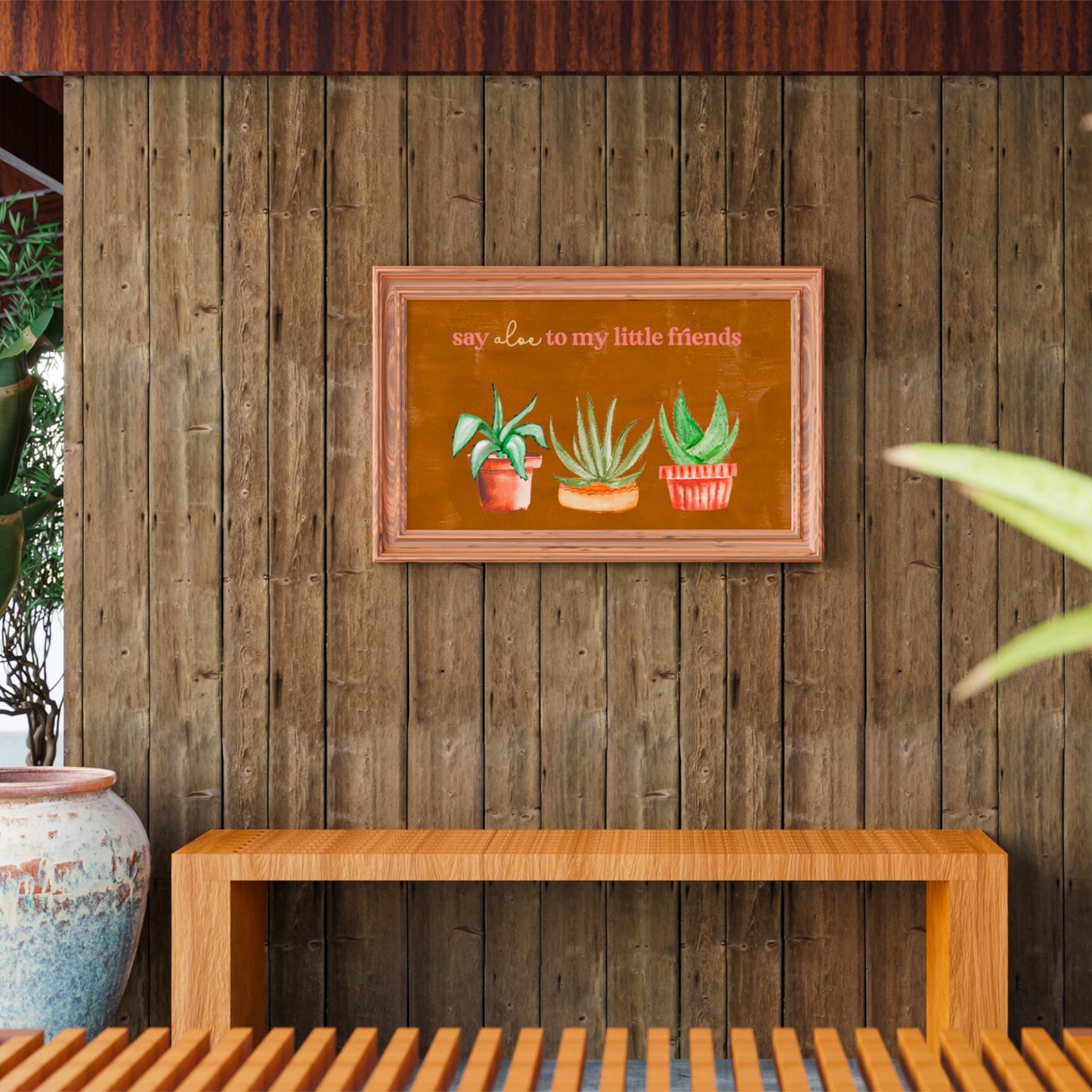
Say Aloe To My Little Friends Digital Art Printable
Say Aloe To My Little Friends Digital Art Printable
Couldn't load pickup availability
Hey there! Thanks for popping in to check out my collection of prints! I am such a plant lover and can’t get enough of plant prints and, of course, a good plant pun. If you are looking to add a bit of the vibrant outdoors (and maybe just a bit of humor 😉) to your space, this is it! Printable art is an affordable and simple way to add some personality to your walls 😊. I hope you enjoy this print as much as I enjoyed creating it!
Please Note: This listing is for an instant digital download, no physical print will be sent to you.
My artwork is for personal use only, not for commercial use.
—What’s included with your purchase?—
Once purchased, you’ll receive a ZIP file with 5 different files that allow you to print according to the sizes listed below. All files are JPEG, have a 300 DPI resolution and CMYK color profile for printing.
Important: Each file's layout is slightly different depending on the size of the print. I had to move around each element to fit onto each canvas correctly.
2:3 ratio for printing up to 20 x 30 inches
Inches: 4x6 | 8x12 | 10x15 | 12x18 | 16x24 | 20x30
Centimeters: 10x15|20x30 | 25x38 | 30x45 | 40x61 | 51x76
5:7 ratio for printing up to 10 x 14 inches
Inches: 5x7 | 10x14
Centimeters: 13x18 | 25x36
3:4 ratio for printing up to 12 x 16 inches
Inches: 6x8 | 9x12 |12x16
Centimeters: 15x20 | 22x30 | 30x40
4:5 ratio for printing up to 16 x 20 inches
Inches: 8x10 | 12x15 | 16x20
Centimeters: 20x25 | 30x37 | 40x50
11x14 for printing up to 11 x 14 inches
Inches: 11x14
Centimeters: 28x36
If you are looking for an additional size shoot me a message and I’ll see what I can do✌️.
—READ THIS IF YOU ARE DOWNLOADING USING A PC/WINDOWS—
I use a Mac computer to compress the files and on a few occasions, buyers have not been able to access their purchased files. If you have trouble downloading, please see the instructions below.
- Step 1
Double-click on the folder containing the Mac zip file to view the folder's contents.
- Step 2
Double-click on the zip file. It will unzip automatically. Drag the unzipped file or files out of the folder to move them to another location. If you want to open the zip files in a particular location, skip this step and use the method in Step 3.
- Step 3
Right-click on the Mac-created zip file to unzip the files in a different location. Select "Extract All" from the menu that pops up and choose the location on your PC where you want to send the unzipped files. Click "OK."
Please reach out to me if you can't figure it out. I can help!
—Return Policy—
Instant Download sales are final, and it’s not possible to refund your print.
—Image Use—
BloominLoonCo. retains all copyright ownership of this artwork and all rights to exploit its copyrights where applicable. All rights not expressly granted herein are reserved to BloominLoonCo..
This artwork is for personal use only and may not be used for commercial purposes.
You may not distribute or share this file with others.
—————————————-
Thanks again for browsing and if you have any questions, please don’t hesitate to reach out 😁.
Share